

Commission your probe
From opening the box to your first data on the hub — plan for about ten minutes.
Before heading to the field
Section titled “Before heading to the field”You will need a 40 mm auger bit and a Phillips screwdriver. The auger bit is available as an add-on at purchase if you’d like to order one with your kit.
Box contents
Section titled “Box contents”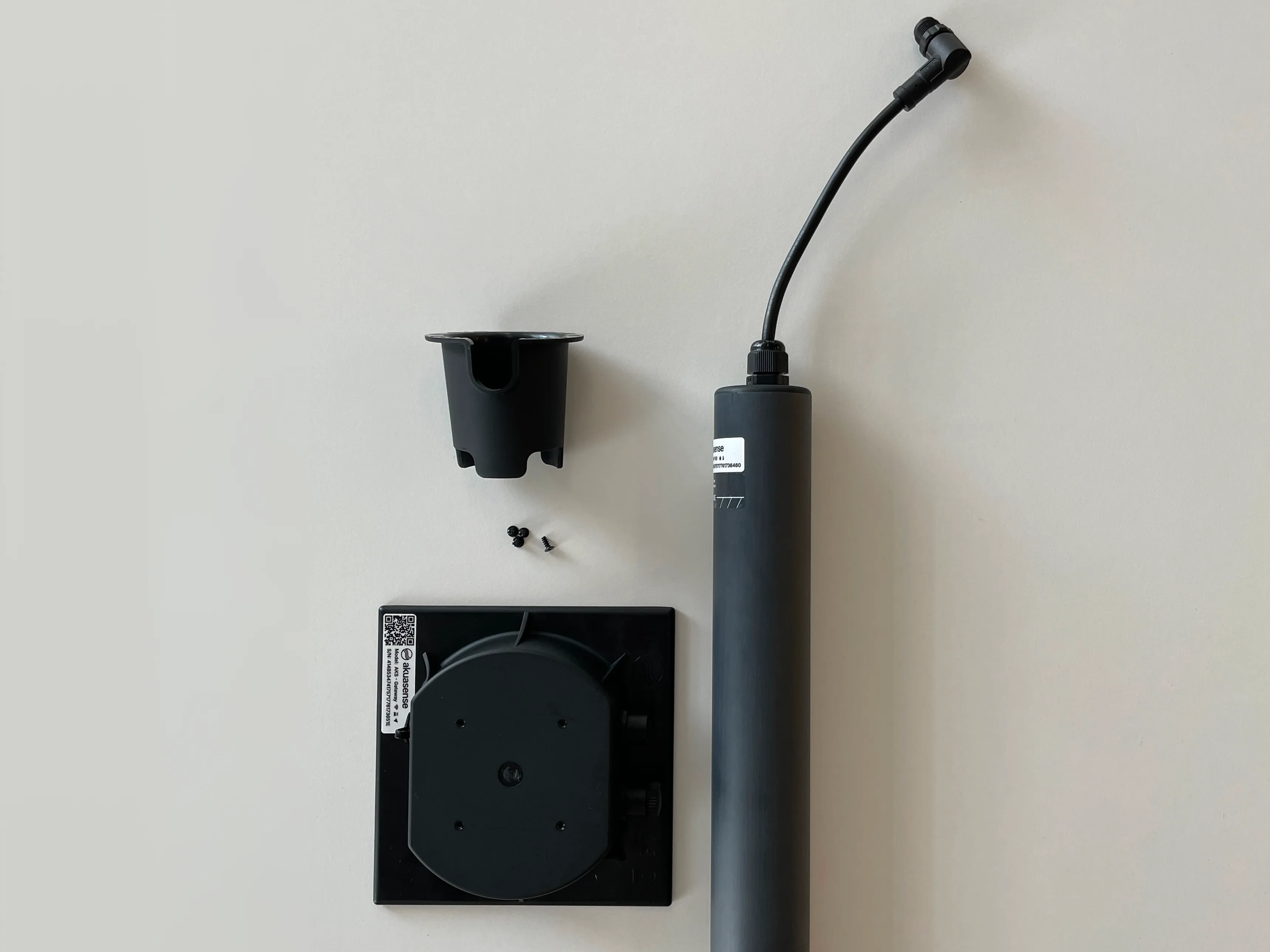

Your package contains :
- The AKS probe
- The Akuasense device — serial number and QR code on the label underneath the device
- The clip-on bracket (probe/device)
- 4 screws to fix the bracket onto the device
Take advantage of being at home to fix the clip-on bracket onto the device — drive the 4 screws with your Phillips screwdriver. You’ll save time once in the field.
Something missing ? Contact us before continuing.
Access your space on the hub
Section titled “Access your space on the hub”Your account was created automatically at purchase — no form to fill in.
First sign-in :
- Open the email “Your Akuasense hub access is ready”, sent to your purchase email address right after your order
- Click “Activate my access” and set your password
- Sign in at hub.akuasense.com
The link in this email is valid for 14 days — you can activate your access before your hardware even arrives.
Link expired, or can’t find the email ?
- Go to hub.akuasense.com
- Enter the email address from your purchase
- Click “Forgot password”
- Open the link you receive by email and set your password — that link is valid for one hour
- Sign in
The email arrives in under a minute. If it doesn’t show up, check your spam folder.
Choose the location and drill
Section titled “Choose the location and drill”Choose where to place the probe in your field :
- Depth — based on your crop’s root zone : probe size selection guide
- Position in the field — a representative area, dense roots, within the irrigated zone :
positioning guide
- Drip — around the edge of the wetted bulb, between the emitter and the wetting front
- Sprinkler / pivot — a stable central area, away from edges and irregular zones
- Field crops — on the row or slightly beside it depending on the crop
- Prefer an area free of compaction and waterlogging
- Number of probes — start with 1 per homogeneous area : number of probes guide
Drill the hole
Section titled “Drill the hole”
- Drill vertically with your 40 mm auger bit, down to the probe’s depth
- Keep the soil brought up by the bit — you’ll need it in the next step
By observing the soil brought up at each depth, you can identify your soil’s horizons (texture, colour, moisture). This information will help you refine your soil profile in the hub and get even more accurate irrigation advice.
Insert the probe
Section titled “Insert the probe”- Mix the soil brought up during drilling with a little water to make a sealing slurry
- Pour the slurry into the hole
- Insert the probe vertically


Register the device on the hub
Section titled “Register the device on the hub”Do this now, with the device in hand — the QR code label is underneath the device and will be harder to reach once it’s clipped onto the probe.
On hub.akuasense.com :
- Sign in to your account
- Tap “Add a probe” in the main menu
- Scan the QR code underneath the device with your smartphone camera
- Give your device a name — for example “North field – Tomatoes”
- Confirm
From a computer, or if you’d rather enter the serial number manually, type it into the field provided (e.g. : 414B53474175717761736563).
Your device appears in your dashboard. Data will show up there as soon as the first transmission arrives.
Clip and connect the device to the probe
Section titled “Clip and connect the device to the probe”The device attaches to the probe in two steps — a mechanical hold and an electrical connection :
- Route the probe cable inside the clip-on bracket, bringing it out through the hole at the top of the bracket
- Clip the device onto the bracket
- Plug the connector of the cable into the device
Connect the probe before powering on the device. The device detects probes at startup — a probe plugged in after power-on will need a restart to be recognised.
Power on the device
Section titled “Power on the device”Press the device button to power it on — see the button commands for the details of each press.
The device runs its startup sequence automatically :
- Network configuration
- GPS search
- Detection of connected probes
- Taking measurements
- Sending data
- Going to sleep
You can follow the progress on the LED :
| LED | State | |
|---|---|---|
 | Solid | Device active — initialisation, GPS search, taking measurements… |
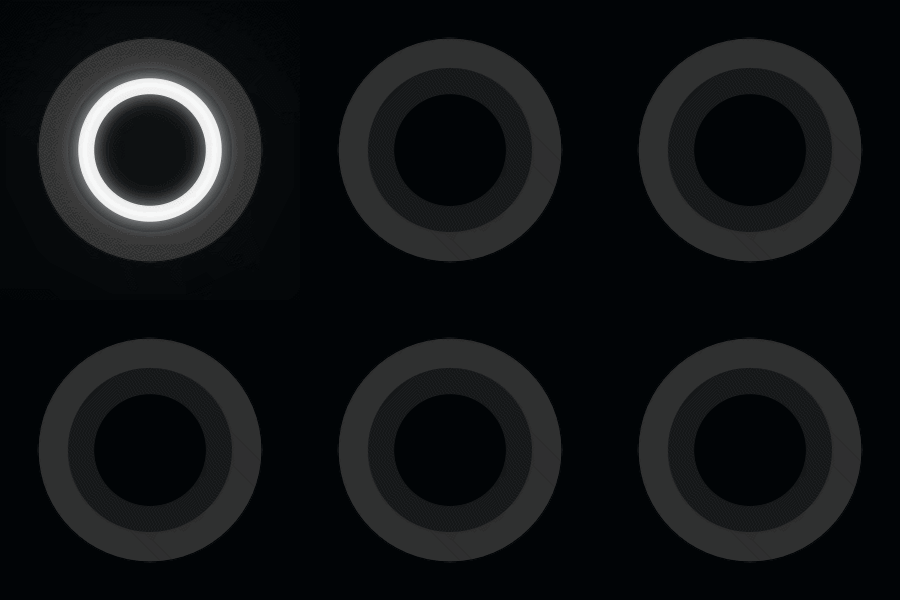 | Slow blink | Searching for network |
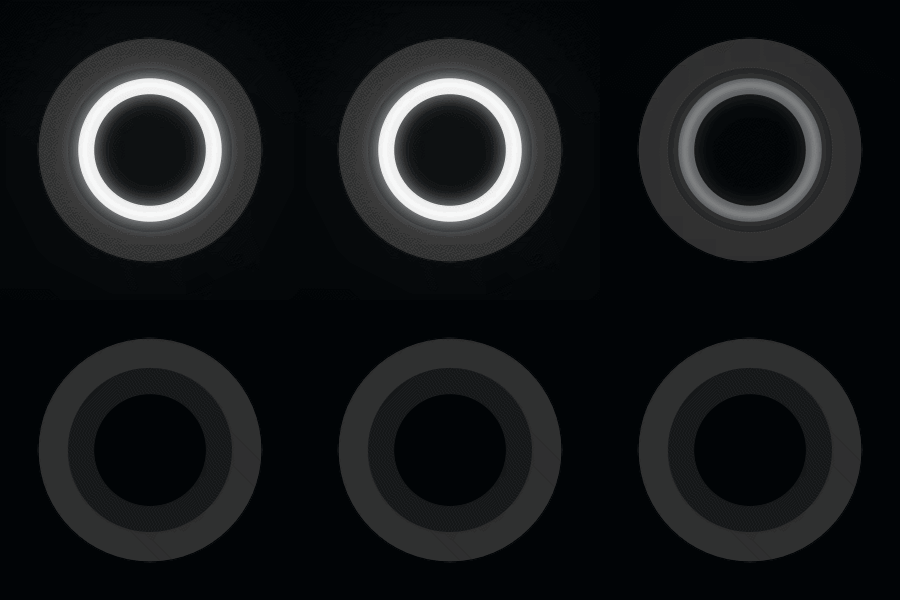 | Fast blink | Connecting and sending data |
 | Off | Device asleep |
Your first data
Section titled “Your first data”
Head back to your dashboard. The startup sequence takes 3 to 4 minutes depending on your network coverage (LTE-M or NB-IoT) — the time for the device to get a GPS fix, measure, transmit, then go to sleep.
No data after a few minutes ? See the troubleshooting section below.
🎉 Your first measurements appear on the dashboard. Your probe is up and running.
Troubleshooting
Section titled “Troubleshooting”| Situation | What to do |
|---|---|
| The sign-in email doesn’t arrive | Check your spam folder — and make sure you’re using the email from your purchase. Still nothing ? Contact us. |
| The QR code won’t scan | Enter the serial number manually in the input field. |
| The device won’t connect | Check the network coverage at the location. If the area isn’t covered by LTE-M or NB-IoT, contact support to find a solution. |
| No data after a few minutes | Make sure the probe was connected to the device before power-on. If not, connect it and restart the device. |